
Team To-Do for Odoo 18 and 19
Shared to-do lists for the whole team, without the Project app.
Odoo's To-Do app is personal: your list, your stages, your board. Team To-Do is for the team. One board, shared stages, exactly one owner per task, and an administrator who sees everything. Lighter than the Project app, and it does not need it.
- Odoo
- 18 and 19
- Editions
- Community and Enterprise
- License
- LGPL-3, free
- Depends on
- only Discuss (
mail)
On Odoo 18? Use the Odoo 18 version. Prefer the source? It is on GitHub: github.com/cimalor-apps/addons
Questions? support@cimalor.com
Three things Odoo's To-Do does not do
Shared stages
A stage belongs to the task, not to the person looking at it. When someone moves a task to In Progress, it is in progress for everybody. No more "it's done on my board."
One owner per task
Every task has exactly one assignee, and the field is required. Reassigning a task takes it away from the previous owner. It is always clear who has to move it next.
Team visibility
Users see their own tasks. Administrators see every task, grouped by person. Two roles, set on each user like any other Odoo access right.
For administrators: the whole team at a glance
The By Person menu lists tasks grouped by assignee. Reassign them, spot who is overloaded and see what is overdue. Only administrators can delete tasks and configure stages.


Everything a task needs, nothing more
- Title, rich-text description, deadline and priority.
- Clickable stage bar on the form, drag and drop on the kanban.
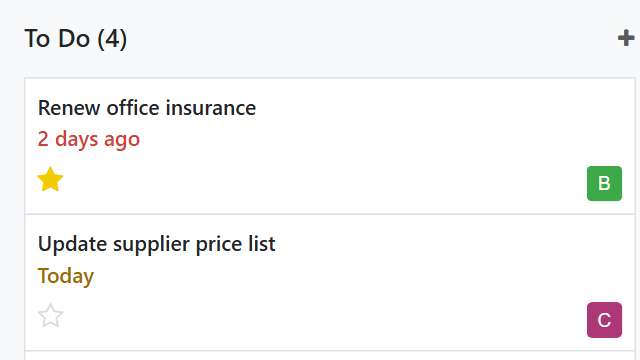
- Deadline on the card: red when overdue, orange when due today.
- Chatter that tracks changes of owner and stage.
- Filters for open, done and my tasks. Group by assignee or stage.
Your stages, your rules
Three stages come out of the box: To Do, In Progress and Done. Rename them, add your own, reorder them and fold the finished ones. Mark any stage as a closing stage and its tasks count as done everywhere in the module.

Already have Project? Why Team To-Do?
Project manages projects: phases, milestones, profitability, timesheets. Team To-Do manages the loose, day-to-day work, without setting up a project for every small thing. They can live side by side.
Using the Project app too?
Install Team To-Do: Project link (also available for Odoo 18). It adds an optional link from each task to a real project. The project name shows on the task card and takes you to that project's tasks in one click. It installs itself when both apps are present, and Team To-Do keeps working without it.
Up and running in five steps
- Install Team To-Do. It only depends on Discuss.
- Every internal user is a Team To-Do user right away. Your Odoo administrators become Team To-Do administrators.
- Fine-tune roles under Settings › Users, tab Access Rights, section Team To-Do. There is also a shortcut under Team To-Do › Configuration.
- Adjust stages under Team To-Do › Configuration › Stages.
- Read the welcome task waiting on your board. It explains the rules and where everything is. Drag it to Done when you are through.
Frequently asked questions
Does it replace the Project app?
No. Project manages projects with phases, milestones and profitability. Team To-Do manages the loose, day-to-day work. They live side by side, and an add-on links the two.
Can I assign a task to two people?
No, on purpose. When a task belongs to two people, it belongs to nobody. If the work has to be split, create two tasks.
Who can see my tasks?
Within Team To-Do, you see your own tasks. Team To-Do administrators see all of them. Roles are set user by user under Settings › Users.
Does it work on Odoo Community?
Yes. It only depends on Discuss, which is part of Community. It also runs on Enterprise and uses nothing that is Enterprise-only.
Which Odoo versions does it support?
Odoo 18 and Odoo 19, with the same features in both.
Is it really free?
Yes. It is free software under the LGPL-3 license. You can use, modify and deploy it at no cost and without activation keys. As the license states, it is provided as is, without warranty.
What languages does it speak?
English and Spanish.
Where do I report a bug or ask a question?
By email at support@cimalor.com; we aim to reply within 48 to 72 business hours. You can also use the GitHub issue tracker, without a fixed reply time.